How to Build an Off-Site Backup Server on a Storage VPS (restic, Borg & rclone)
Turn a storage VPS into an encrypted, versioned off-site backup target with restic, BorgBackup or rclone - with schedules, retention and restore tests.
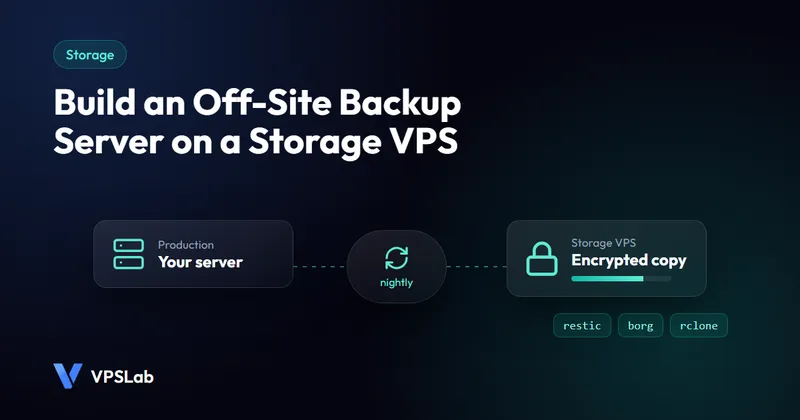
RAID protects against a failed disk. It does not protect against a deleted folder, ransomware, a compromised server or a data-centre incident. For that you need backups that live somewhere else - and a storage VPS is one of the most cost-effective places to put them.
In this guide you'll turn a storage VPS into a private, encrypted backup target using open-source tools you can trust.
The 3-2-1 rule in one paragraph
Keep 3 copies of important data, on 2 different types of storage, with 1 copy off-site. Your laptop or production server is copy one; a local snapshot or external disk is copy two; the storage VPS is your off-site copy.
Which tool should you use?
| Tool | Best for | Encryption | Deduplication |
|---|---|---|---|
| restic | Simple, cross-platform backups (Linux, macOS, Windows) | Always on | Yes |
| BorgBackup | Linux/macOS servers, very efficient repositories | Built in (choose at init) | Yes |
| rclone | Syncing or copying files, cloud-style workflows | Optional via crypt remote |
No |
restic and Borg are backup tools: they keep many versions, deduplicate and encrypt. rclone is primarily a sync/copy tool - great for mirroring a folder, but on its own it doesn't keep history the same way.
Step 1: Prepare the storage VPS
Start from a hardened base - our Linux VPS security guide covers SSH keys, the firewall and updates. Then create a dedicated user that only exists to receive backups:
sudo adduser --disabled-password backup
sudo mkdir -p /srv/backups
sudo chown backup:backup /srv/backups
On each machine you want to back up, generate a dedicated SSH key and add its
public half to /home/backup/.ssh/authorized_keys on the storage VPS.
Step 2a: Back up with restic (over SFTP)
Install restic on the machine being backed up (it's in most package managers), then initialise a repository on the storage VPS:
export RESTIC_REPOSITORY="sftp:backup@STORAGE_IP:/srv/backups/laptop"
export RESTIC_PASSWORD_FILE="$HOME/.restic-pass"   # long random passphrase

restic init
restic backup ~/Documents ~/Projects --exclude-caches
restic snapshots
Apply a retention policy so the repository doesn't grow forever:
restic forget --keep-daily 7 --keep-weekly 4 --keep-monthly 12 --prune
Keep the password safe and separate. Without it, the encrypted repository cannot be read - by anyone, including you.
Step 2b: Back up with BorgBackup
Borg needs to be installed on both the client and the storage VPS.
borg init --encryption=repokey-blake2 backup@STORAGE_IP:/srv/backups/web01
borg create --stats --compression zstd \
  backup@STORAGE_IP:/srv/backups/web01::'{hostname}-{now}' /etc /var/www /home
borg prune --keep-daily 7 --keep-weekly 4 --keep-monthly 12 \
  backup@STORAGE_IP:/srv/backups/web01
borg compact backup@STORAGE_IP:/srv/backups/web01
With repokey encryption the key is stored in the repository, protected by
your passphrase. Export a copy too: borg key export - and store it offline.
Make it ransomware-resistant with append-only mode
If a client is compromised, an attacker could use its SSH key to delete your
backups. Borg can restrict a key to append-only access. In
/home/backup/.ssh/authorized_keys on the storage VPS, prefix that client's
key:
command="borg serve --append-only --restrict-to-path /srv/backups/web01",restrict ssh-ed25519 AAAA... web01
Run pruning from a separate, trusted machine (or on the storage VPS itself) instead of from the client.
Step 2c: Sync files with rclone
rclone is ideal when you want a browsable mirror of a folder, such as a photo
library. Configure an SFTP remote, optionally wrapped in a crypt remote for
client-side encryption:
rclone config            # create "vps" (type sftp), then "vps-crypt" (type crypt) pointing at vps:/srv/backups/photos
rclone sync ~/Pictures vps-crypt: --progress
Because sync makes the destination match the source, a deletion on your
laptop will be mirrored. Add --backup-dir with a dated folder if you want to
keep deleted and changed files.
Step 3: Schedule it
A backup that depends on you remembering to run it will eventually be missed. On Linux, a cron entry is the simplest option:
# Run restic every night at 02:30
30 2 * * * /usr/local/bin/backup-restic.sh >> /var/log/backup.log 2>&1
systemd timers work just as well and add logging through journalctl. On
macOS use launchd; on Windows, Task Scheduler can run restic.
Step 4: Monitor and test restores
- Check the logs or send yourself a notification when a backup fails.
- Verify repositories periodically:
restic checkorborg check. - Restore something every month into a temporary folder:
restic restore latest --target /tmp/restore-test --include /home/alice/Documents
borg extract backup@STORAGE_IP:/srv/backups/web01::ARCHIVE_NAME etc/nginx
Sizing your storage VPS
Deduplication and compression mean a backup repository is often much smaller than the sum of all versions. As a starting point, plan for about 1.5–2× the size of the data you protect, then watch real usage for a few weeks. VPSLab storage plans range from 400 GB to 2.4 TB, and you can upgrade to a larger tier from the client area.
Frequently asked questions
Is a storage VPS better than a consumer cloud drive for backups? It gives you full control: you choose the software, the encryption and the retention policy, and you get root access to verify everything. A cloud drive is simpler but you depend on the vendor's features and terms.
Should backups be encrypted if I control the server? Yes. Encrypt on the client before data leaves the machine. Then even someone with access to the storage server can't read your files.
restic or Borg? Both are excellent. restic is easier across mixed operating systems; Borg is very efficient for Linux servers and supports append-only mode natively.
Ready to set up your off-site copy? Choose a storage VPS from 400 GB to 2.4 TB - with full root access, DDoS protection and crypto payments.
Ready to deploy your own VPS?
Privacy-first hosting with crypto payments and instant setup.
Related articles
The Ultimate Guide to Securing Your Linux VPS in 2026
A practical, step-by-step checklist to harden a new Linux VPS: SSH keys, a non-root user, a firewall, automatic updates, Fail2ban, backups and monitoring.
How to Choose a No-KYC VPS Provider: A Practical Checklist
Not every 'no-KYC' host is what it claims. Use this checklist to compare no-KYC VPS providers on signup, payments, terms, logging and reliability.
How to Connect to a Windows RDP Server (Windows, Mac, Linux, Android & iOS)
Connect to a Windows RDP server or VPS from Windows, macOS, Linux, Android or iOS, step by step - plus fixes for the most common RDP errors.