How to Choose a No-KYC VPS Provider: A Practical Checklist
Not every 'no-KYC' host is what it claims. Use this checklist to compare no-KYC VPS providers on signup, payments, terms, logging and reliability.
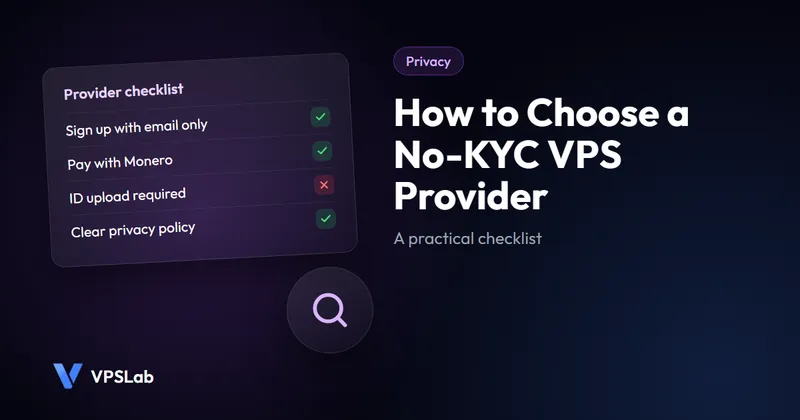
"No KYC" has become a marketing label. Some hosts genuinely let you sign up with only an email; others accept crypto at checkout and then ask for a passport scan a week later. If privacy is the reason you're shopping, you need to know which kind of provider you're dealing with before you build anything on their servers.
This checklist works for any provider. At the end we show how VPSLab's no-KYC VPS hosting answers each point, so you can compare like for like.
First: what does "KYC" mean for hosting?
KYC - Know Your Customer - is the identity verification some providers run before or after you buy: government ID or passport uploads, selfies or video calls, phone-number verification, or proof of address. A no-KYC VPS is one you can order and use without any of those steps.
No-KYC is not the same as "no rules". Every legitimate provider still has terms of service and will act on abuse. What changes is how much of your identity they hold.
The checklist
1. What does the signup form actually ask for?
Open the registration page before you trust any landing page. Count the mandatory fields. An email address and password is the minimum; a required phone number, full address or date of birth tells you a lot about what happens next.
2. Can you pay without linking your identity?
- Which cryptocurrencies are accepted? Monero (XMR) offers the strongest on-chain privacy; Bitcoin and stablecoins are convenient but transparent on their blockchains.
- Do card or PayPal payments trigger extra verification? Many hosts accept cards but run fraud checks that can lead to ID requests.
- Is the crypto checkout automated, or does someone approve orders manually?
If you're new to private payments, our guide on how to pay for a VPS with Monero walks through it step by step.
3. Read the terms for "we may request verification"
This is where many "no-KYC" providers reveal themselves. Search the terms of service and acceptable use policy for words like verify, identification, documents or fraud review. A provider that reserves the right to demand ID at any time is not really no-KYC - it's "no KYC until we decide otherwise".
4. What do they log and keep?
Read the privacy policy, not the homepage:
- What account data is stored, and for how long?
- Do they log traffic or the content of your server?
- Is analytics or chat software on the client area sharing data with third parties?
5. Where is the company and its infrastructure?
Jurisdiction affects which laws apply to your data and how requests from authorities are handled. Look for clear information on where servers are located - and be cautious if a provider is vague about it.
6. Is the infrastructure actually good?
Privacy is worthless if the server is slow or offline:
- Hardware generation (CPU model, NVMe vs SATA SSD, DDR4 vs DDR5).
- Network port speed and traffic allowance.
- DDoS protection included or extra.
- A public status page with incident history.
- Independent benchmarks or listings.
7. Can you recover your account without identity?
If the only recovery option is "send us your ID", a lost password could lock you out of your own servers. Use a password manager, enable two-factor authentication if offered, and keep backup codes somewhere safe.
8. Refunds, support and responsiveness
- Is there a money-back window, and does it apply to crypto payments?
- Is support available around the clock? Through tickets, live chat, or both?
- Try asking a pre-sales question: the reply tells you more than any review.
9. Check independent sources
Look the provider up on independent directories and communities. Sites such as nokyc.host list hosting providers along with the KYC level they require, and benchmark sites publish real performance tests.
Red flags
- "No KYC" on the homepage, "verification may be required" in the terms.
- No privacy policy, or one copied from another company.
- Crypto accepted, but every order "held for review".
- No status page, no named locations, no hardware details.
- Prices far below the cost of the hardware they claim to use.
How VPSLab answers the checklist
| Question | VPSLab |
|---|---|
| Signup requirements | Email address - no ID, selfie, phone or address checks for standard plans |
| Crypto payments | Bitcoin, Monero, Ethereum, USDT and many more through an automated gateway |
| Deployment | Automated - your server is provisioned after payment confirms |
| Access | Full root on Linux, full Administrator on Windows |
| Activity logging | No monitoring or logging of the content or traffic on your VPS |
| DDoS protection | Included on every plan |
| Status page | status.vpslab.cloud |
| Policies | Privacy Policy, Terms of Service, Refund Policy |
| Independent listing | VPSLab on nokyc.host |
Whatever provider you choose, read the documents yourself - including ours.
Frequently asked questions
Is no-KYC hosting legal? In most countries, yes - there is generally no legal requirement for VPS providers to verify the identity of every customer. Whatever you run on the server must still be legal and follow the provider's terms.
Is a no-KYC VPS anonymous? It is more private, not automatically anonymous. Your payment method, the IP you sign up from and what you run on the server can all reveal information. Pay with Monero and use good operational habits if anonymity matters to you.
Which is better for privacy, Bitcoin or Monero? Monero. Bitcoin transactions are public and traceable on its blockchain; Monero hides the sender, receiver and amount by default.
Ready to compare for yourself? See exactly what we ask for (and what we don't) on our no-KYC VPS hosting page, or go straight to buying a VPS with crypto.
Ready to deploy your own VPS?
Privacy-first hosting with crypto payments and instant setup.
Related articles
How to Pay for a VPS with Monero (XMR): Step-by-Step Guide
Pay for VPS hosting privately with Monero: choose a wallet, get XMR, send the exact amount at checkout and avoid the mistakes that delay deployment.
The Ultimate Guide to Buying a VPS with Cryptocurrency (Bitcoin, Monero & More)
Why pay with Bitcoin or Monero for hosting, how to complete your first crypto VPS purchase safely, and what to look for in a privacy-first provider.
How to Set Up a Secure, Privacy-First Windows RDP Server on VPSLab
Step-by-step guide to deploying a hardened Windows RDP VPS with full admin access, crypto payments, and zero KYC - perfect for privacy-conscious remote work.